Category: Introduction

  • Revise 1.5.0: Quick AI Actions, Developer Hooks & a Faster Editing Experience

    Revise 1.5.0: Quick AI Actions, Developer Hooks & a Faster Editing Experience

    One-click AI editing, right from the block toolbar

    Version 1.5.0 is our biggest update yet. The headline feature: quick AI actions built directly into the Gutenberg block toolbar. Select a block, pick an action, and Revise does the rest — no typing required.

    We also shipped a full set of WordPress hooks for developers, rebuilt our component architecture for long-term maintainability, and made streaming significantly more reliable.
    Quick AI Actions

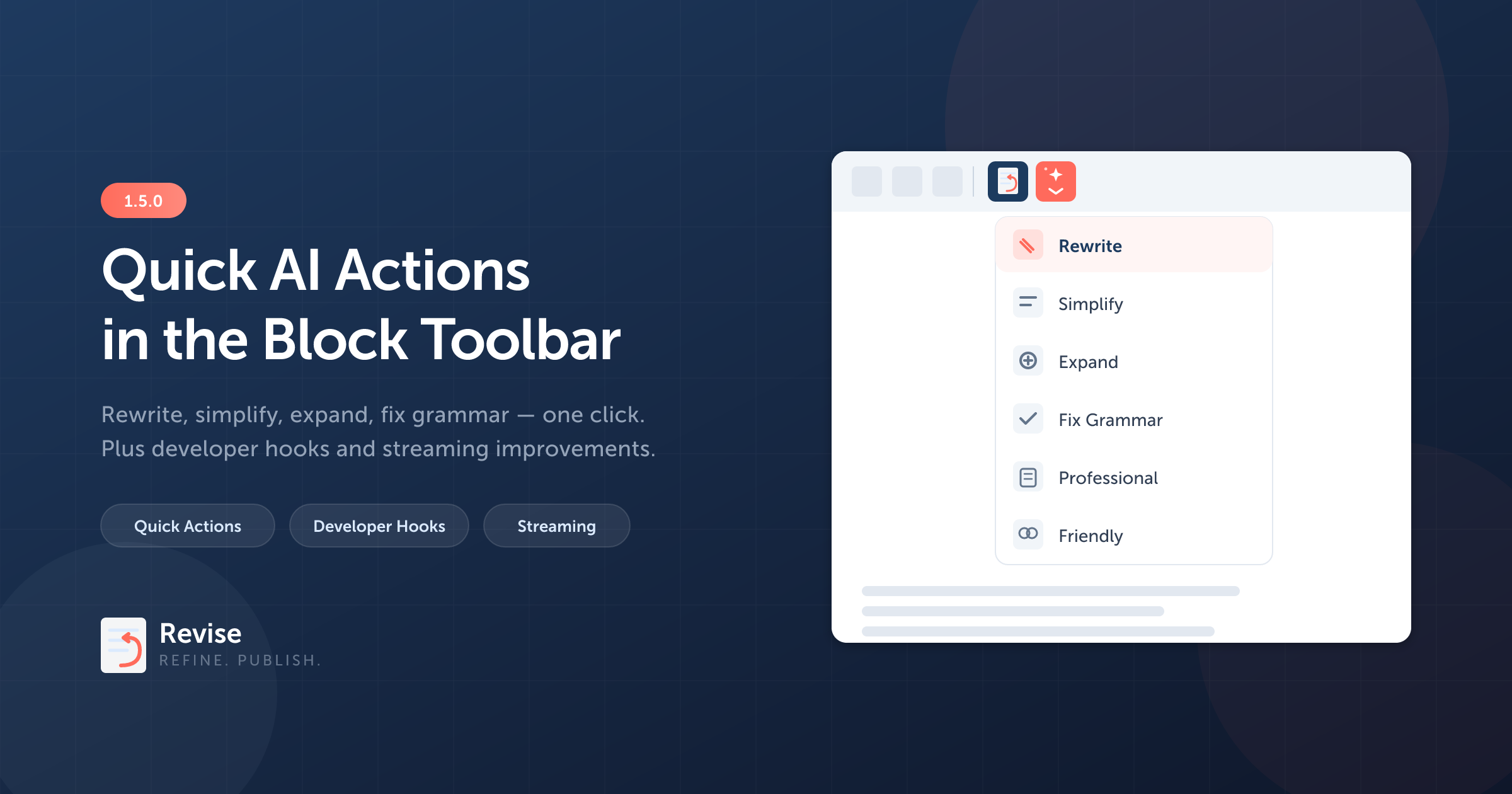
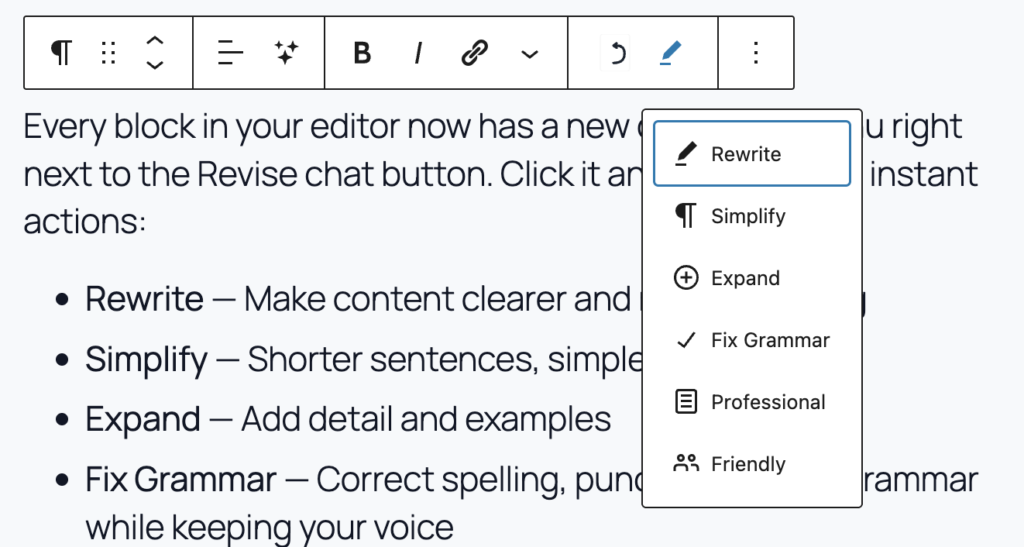
    Every block in your editor now has a new dropdown menu right next to the Revise chat button. Click it and you’ll see six instant actions:

    • Rewrite — Make content clearer and more engaging
    • Simplify — Shorter sentences, simpler words
    • Expand — Add detail and examples
    • Fix Grammar — Correct spelling, punctuation, and grammar while keeping your voice
    • Professional — Shift to a formal tone
    • Friendly — Shift to a warm, conversational tone

    One click. The sidebar opens, the prompt fires, and your block updates — all in a single motion. If you’ve highlighted specific text within a block, Revise focuses on just that selection.

    This is built using Gutenberg’s native ToolbarDropdownMenu inside BlockControls — no custom popovers, no extra UI weight. It feels like part of WordPress because it is.

    Developer Hooks

    Revise is now fully extensible. Whether you’re building a custom integration, adding a new LLM provider, or tailoring the AI’s behavior for a client site, you can hook into every stage of the pipeline.

    PHP Filters

    • userevise_provider — Register a custom LLM provider
    • userevise_system_prompt — Modify the system prompt sent to the AI
    • userevise_streaming_prompt — Customize the streaming prompt
    • userevise_block_context — Control what block data the AI sees
    • userevise_chat_response — Transform responses before they reach the editor
    • userevise_models — Add or remove models from the selector

    PHP Actions

    • userevise_before_chat / userevise_after_chat — Run logic before and after standard chat requests
    • userevise_before_stream / userevise_after_stream — Same for streaming requests

    JavaScript Filter

    • userevise_templates — Add custom prompt templates via @wordpress/hooks

    A quick example — adding a custom model to the selector:

    add_filter( 'userevise_models', function( $models ) {
        $models['openai']['my-fine-tuned-model'] = 'My Fine-Tuned GPT';
        return $models;
    } );

    Streaming Reliability

    We reworked how block updates flow from the AI to your editor. Previously, if a streaming event was missed during a response, the block could silently fail to update. Now:

    • All three providers (OpenAI, Anthropic, Gemini) track content as it streams and include the final result in the completion event
    • The frontend applies block updates as a guaranteed final step, even if real-time streaming was interrupted
    • The Re-apply button on previous messages now works reliably — operations are stored with their full content

    The result: when the AI says “Changes applied to editor,” the changes are always actually applied.

    Architecture Improvements

    Under the hood, we broke down our main sidebar component from a single 1,500-line file into focused, testable modules:

    • New hooks: useEditorData, useBlockHighlights, useFileAttachments
    • New components: ChatToolbar, ChatInput, BlockSelectionNotice, StreamingMessage, ChatEmptyState
    • Extracted utilities: markdownParser, blockLabels

    This doesn’t change anything you see as a user, but it makes Revise easier to maintain, extend, and contribute to.

    Upgrade

    Head over to userevise.com to get the 1.5.0 update. As always, you’ll need your own API key from OpenAI, Anthropic, or Google.

    Questions or feedback? Reach out at to me at [email protected]
  • New Frontier Models in v1.3.6: OpenAI, Anthropic, Google

    New Frontier Models in v1.3.6: OpenAI, Anthropic, Google

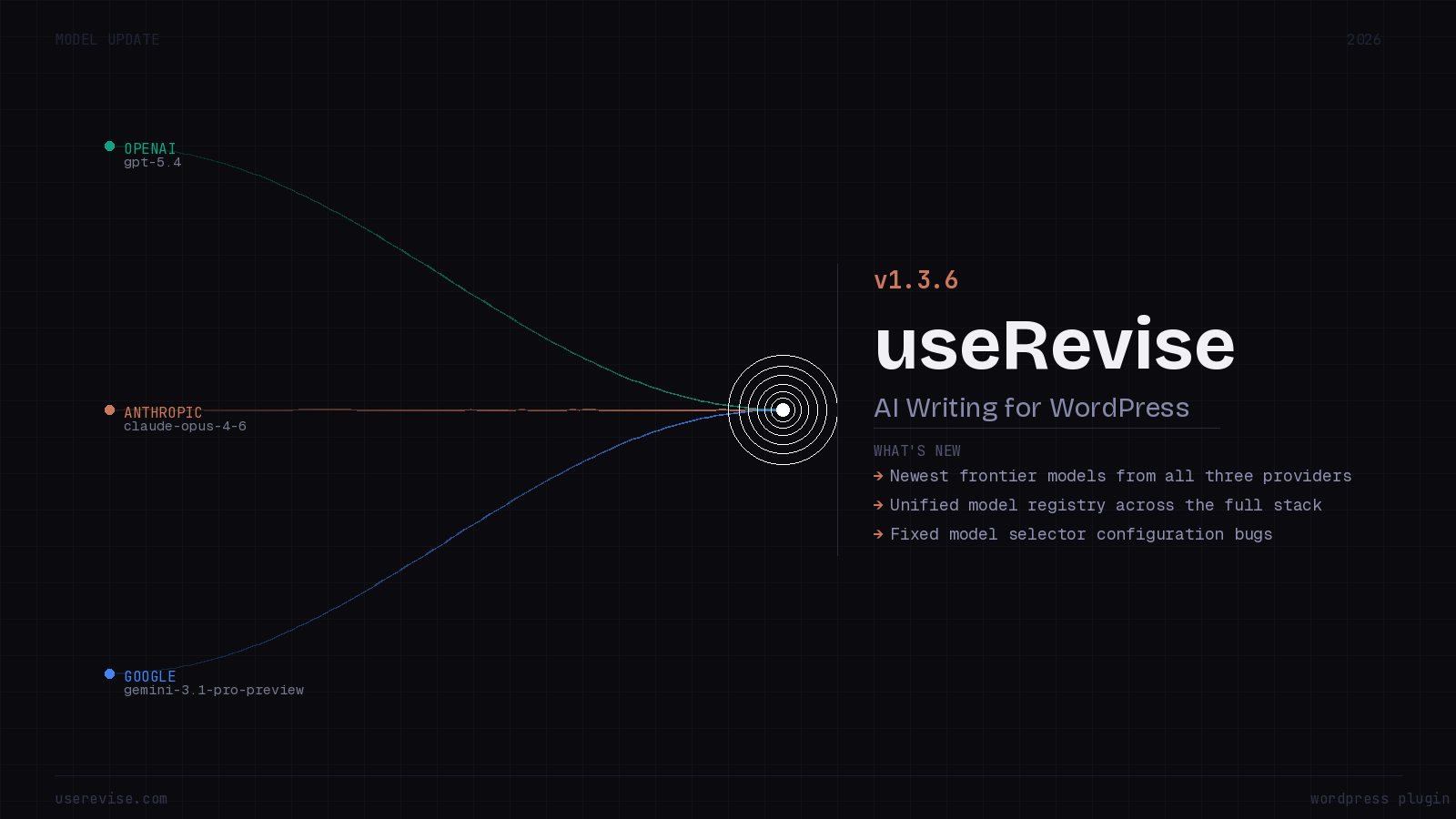
    We’re excited to ship v1.3.6, a release focused on bringing you the latest frontier models from all three major providers, squashing long-standing bugs in the model selector, and — perhaps most importantly — unifying how models are defined across the entire stack.

    🚀 Newest Frontier Models

    The AI landscape moves fast. This release adds day-one support for the newest flagship models from OpenAI, Anthropic, and Google:

    OpenAI — GPT-5.4

    OpenAI’s latest and most capable model lands in the plugin as GPT-5.4, alongside its Pro variant. The full OpenAI lineup now spans from the ultra-efficient GPT-5 Nano all the way up to the new frontier:

    • GPT-5.4 — Newest Frontier
    • GPT-5.4 Pro — Extended thinking & higher limits
    • GPT-5.2 Pro / GPT-5.2 / GPT-5.1 / GPT-5
    • GPT-5 Mini (Fast) / GPT-5 Nano (Lowest Cost)

    Anthropic — Claude Opus 4.6 & Sonnet 4.6

    Anthropic continues its rapid iteration on the Claude family. We now support the brand-new Claude Opus 4.6 as the newest frontier model, with Claude Sonnet 4.6 as our recommended default for the best balance of quality and speed:

    • Claude Opus 4.6 — Newest Frontier
    • Claude Sonnet 4.6 — Recommended
    • Claude Haiku 4.5 — Fast
    • Claude Sonnet 4.5 / Claude Opus 4.5

    Google — Gemini 3.1 Pro Preview

    Google’s Gemini family gets a big update with the Gemini 3.1 Pro Preview leading the pack. The lineup now includes the new Flash 3 preview and Flash-Lite 3.1 tiers for cost-conscious workloads:

    • Gemini 3.1 Pro Preview — Newest Frontier
    • Gemini 3 Flash Preview
    • Gemini 3.1 Flash-Lite
    • Gemini 2.5 Pro / Gemini 2.5 Flash / Gemini 2.5 Flash-Lite

    We heard your feedback — the model selector had several annoying issues that have been resolved in this release:l.

    • Fixed broken model selectors caused by a configuration issue.
    • We now maintain a single models.json file that serves as the canonical registry for every supported model. Both the PHP backend and the JavaScript frontend read from this same file:
    // models.json (single source of truth)
    {
      "openai": [
        { "value": "gpt-5.4", "label": "GPT-5.4 (Newest Frontier)" },
        { "value": "gpt-5.4-pro", "label": "GPT-5.4 Pro" },
        ...
      ],
      "anthropic": [
        { "value": "claude-opus-4-6", "label": "Claude Opus 4.6 (Newest Frontier)" },
        { "value": "claude-sonnet-4-6", "label": "Claude Sonnet 4.6 (Recommended)" },
        ...
      ],
      "gemini": [
        { "value": "gemini-3.1-pro-preview", "label": "Gemini 3.1 Pro Preview (Newest Frontier)" },
        { "value": "gemini-3-flash-preview", "label": "Gemini 3 Flash Preview" },
        ...
      ]
    }

    What’s Next

    We’re continuing to monitor new model releases from all three providers and aim to support them within days of launch. On the roadmap, we’re also looking at adding support for custom/self-hosted model endpoints and a “model comparison” mode that lets you test prompts against multiple models side by side.

    As always, thank you for using the plugin and for all the feedback that makes it better.

  • Introducing URL Fetching

    Introducing URL Fetching

    We’re excited to announce a powerful new feature in Revise that makes content creation even more effortless: URL Fetching. Now you can ask Revise to fetch, analyze, and incorporate content from any URL directly into your WordPress posts—all with a simple conversational prompt.

    What Is URL Fetching?

    URL Fetching allows Revise to access external web pages, extract their content, and use that information to help you create, enhance, or research your WordPress content. It’s like having a research assistant built right into your editor.

    How It Works

    The magic happens through natural conversation. Simply include a URL in your prompt, and Revise handles the rest:

    "Can you summarize https://example.com/article and incorporate it into an article?"

    Behind the scenes:

    1. Revise recognizes the URL in your request
    2. Safely fetches the content from the web
    3. Processes and cleans the HTML into readable text
    4. Analyzes the content using AI
    5. Creates or updates your WordPress blocks with the result

    Real-World Use Cases

    📰 Content Curation

    Transform external articles into your own unique content:

    "Fetch https://techcrunch.com/article/latest-ai-news and write a blog post
    with my perspective on these developments"

    📊 Research Compilation

    Gather information from multiple sources:

    "Read https://wikipedia.org/wiki/Machine_Learning and create an
    introductory guide for beginners"

    🔄 Content Repurposing

    Turn web content into different formats:

    "Summarize https://example.com/long-report and create 5 social media
    posts highlighting the key points"

    💡 Idea Generation

    Get inspired by existing content:

    "Analyze https://competitor.com/blog-post and suggest 3 related article
    ideas I could write about"

    📝 Fact-Checking & References

    Incorporate accurate information from authoritative sources:

    "Fetch https://research-paper.edu/study and summarize the key findings
    in my article about health trends"

    Security First

    We built URL Fetching with security as a top priority:

    🛡️ Protection Against Malicious URLs

    • Private IP blocking prevents access to internal networks
    • Protocol validation only allows HTTP and HTTPS
    • SSRF protection blocks attempts to access local resources

    ⚡ Performance Safeguards

    • 5MB download limit prevents excessive bandwidth usage
    • 30-second timeout ensures requests don’t hang indefinitely
    • 50,000 character limit on processed text keeps responses manageable

    🧹 Content Sanitization

    • Script removal strips all JavaScript from fetched pages
    • Style cleanup removes CSS and formatting noise
    • HTML parsing converts messy markup into clean, readable text

    How to Use URL Fetching

    Using this feature is as simple as having a conversation:

    Basic Syntax

    Just include a URL in any Revise chat prompt:

    "Summarize https://example.com for me"

    Advanced Requests

    Be specific about what you want:

    "Fetch https://news-site.com/article-123, extract the main points,
    and write a 500-word response article with my counterarguments"

    Multiple Operations

    Combine URL fetching with other Revise capabilities:

    "Read https://research.org/paper.pdf and update my Introduction block
    to include these statistics"

    Works With Major LLM Providers

    Whether you prefer Claude (Anthropic), GPT-4 (OpenAI), or Gemini (Google), URL Fetching works seamlessly across all supported providers. Your AI assistant of choice can now access the entire web to help you create better content.

    Technical Deep Dive

    For the technically curious, here’s how it works under the hood:

    1. Marker Detection: When the LLM recognizes a URL request, it outputs a special ---FETCH_URL--- marker with JSON instructions
    2. URL Validation: Our server validates the URL for security issues
    3. Content Retrieval: WordPress’s HTTP API safely fetches the content
    4. HTML Processing: Content is converted from HTML to clean markdown-style text
    5. Context Augmentation: The fetched content is added to the conversation context
    6. AI Processing: The LLM processes both your original request and the fetched content
    7. Block Operations: Results are formatted as WordPress block operations

    All of this happens transparently in seconds, giving you a seamless experience.

    Privacy & Ethics

    What We Don’t Do

    • ❌ We don’t store fetched content
    • ❌ We don’t cache external pages
    • ❌ We don’t share your requests with third parties
    • ❌ We don’t bypass paywalls or authentication

    What We Encourage

    • ✅ Always respect copyright and fair use guidelines
    • ✅ Add your own analysis and perspective
    • ✅ Cite sources when using external content
    • ✅ Create transformative, original work

    Examples to Try Right Now

    Copy and paste these prompts into Revise:

    Quick Summaries

    "Summarize the key points from https://wikipedia.org/wiki/Artificial_intelligence"

    Content Creation

    "Fetch https://github.com/trending and write a blog post about the top 5
    trending repositories this week"

    Comparison Articles

    "Read https://product-a.com/features and https://product-b.com/features,
    then create a comparison table"

    News Aggregation

    "Get the latest from https://news.ycombinator.com and write a tech news
    roundup with my commentary"

    What’s Next?

    URL Fetching is just the beginning. We’re exploring additional capabilities like:

    • 📄 PDF fetching for academic papers and reports
    • 🔐 Authenticated requests for content behind logins (with your credentials)
    • 🌐 Multi-URL fetching to aggregate content from multiple sources
    • 🖼️ Image extraction to pull relevant visuals from web pages

    Get Started Today

    URL Fetching is available now in Revise for all users. Simply update to the latest version and start experimenting with your favorite URLs.

    Installation

    If you haven’t installed Revise yet:

    1. Download from useRevise.com
    2. Install the plugin in WordPress
    3. Configure your preferred AI provider (Anthropic, OpenAI, or Gemini)
    4. Start chatting with URLs!

    Need Help?

    Your Feedback Matters

    We built URL Fetching based on user feedback requesting better research capabilities. What other features would make Revise more useful for your workflow? Let us know!


    About Revise: Revise is an AI-powered writing assistant built directly into WordPress’s Gutenberg editor. Write, edit, and enhance your content through natural conversation—no context switching required.

  • What are Style Guides?

    What are Style Guides?

    Style guides are reference documents that define how content should be written, formatted, and presented to maintain consistency across all communications.

    Think of them as the DNA of your brand’s voice. They capture the subtle things that make writing feel authentically yours—the rhythm of your sentences, the words you’d never use, how you handle technical explanations versus personal stories.

    A good style guide typically covers:

    Voice and Tone

    How formal or casual? Authoritative or approachable? This is the personality that comes through in every piece.

    Language Preferences

    Specific words to use or avoid. For a developer blog, this might mean “use ‘function’ not ‘method’ when talking about PHP” or “never say ‘simply’ because nothing is simple to a beginner.”

    Formatting Conventions

    Paragraph length, heading structure, how to present code examples, whitespace preferences.

    Content Archetypes

    Different types of content often need different approaches. A tutorial has different needs than an opinion piece or a product announcement.

    What to Avoid

    Sometimes knowing what not to do is more valuable than knowing what to do. Banned phrases, clichés, corporate speak.


    Ready to Try This Yourself?

    Revise brings AI-powered writing assistance directly into the WordPress editor—and it actually respects your voice. Upload your own style guide, and watch it generate content that sounds like you, not a robot.

    The real power? When you feed a style guide to an AI assistant (like me), it can generate content that actually sounds like you wrote it—not generic AI slop.

  • Introducing Revise: Your WordPress Sidekick

    Introducing Revise: Your WordPress Sidekick

    Writing great content shouldn’t feel like a chore. That’s why I am building Revise — an AI-powered writing assistant that lives right inside your WordPress editor.

    What is Revise?

    Revise is a seamless AI integration for the WordPress Gutenberg editor. Instead of switching between tabs, copying and pasting, or wrestling with external tools, you can now collaborate with AI directly where you write.

    ✨ Key Features

    • Native Gutenberg Integration — Works directly with your blocks, not against them
    • Smart Block Editing — AI understands your post structure and can modify specific sections
    • Conversational Interface — Just chat naturally about what you want to create or change
    • Content Generation — From outlines to full posts, get help at any stage
    • Editing & Refinement — Improve tone, fix grammar, or completely rewrite sections

    How It Works

    Simply open the Revise panel in your editor and start talking to your AI assistant. Want to add a new section? Ask for it. Need to rewrite a paragraph? Just say so. The AI sees your entire post and can make precise changes exactly where you need them.

    “Write faster. Edit smarter. Publish with confidence.”

    Get Started Today

    Ready to transform your WordPress writing experience? Revise.com brings the power of AI directly into your creative workflow — no complicated setup, no context switching, just better writing.

    Visit useRevise.com to learn more .